Posts

Showing posts with the label docker

Lowering the boundary to Code Contribution
Image
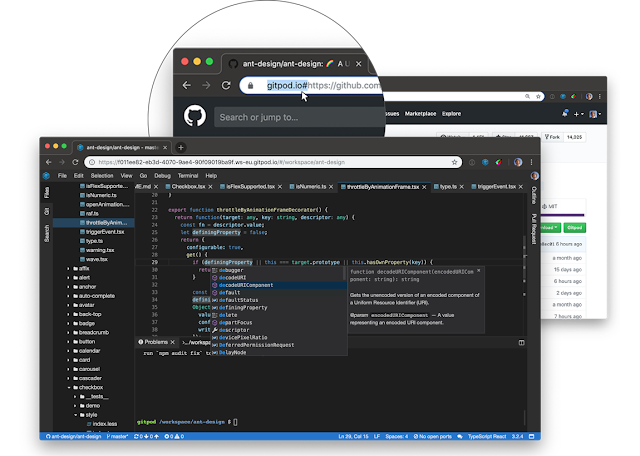
Thinking of using Gitpod as your Cloud IDE? Read this first... I'm preparing for a hands-on coding workshop and wanted my participants to get coding as fast as they can. I decided to leverage Gitpod as a Cloud IDE. Here’s how I set it up including challenges I encountered and their remedies. 🧑‍💻 Gitpod Gitpod is a tool I've been using to set up an isolated development (dev) environment for troubleshooting. I have relied on ready made repositories from the open source community, but now was a chance to dive deeper. 🐳 Docker Compose Ready My repository uses docker and docker compose. Docker is great for providing consistent dev environments across multiple developers. It's also great for isolating your project from other projects on your machine so you can mix and match your tools. I dived straight in and got my repository loaded on Gitpod. Gitpods default image  supports docker, docker compose, php, and node out of the box. So it was as simple as running ‘docker compose u...
Testing Made Easy: How Tugboat QA Keeps Your Projects On Course

Image
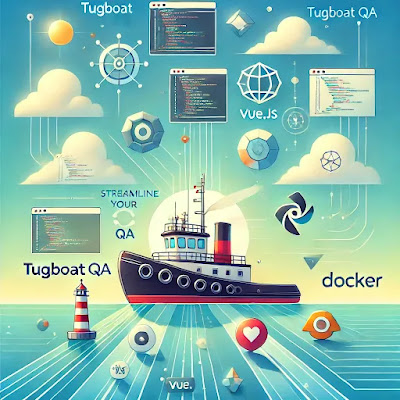
Tugboat offers a straightforward way to create working versions of your website or app for each branch in your repository, making it easier to test and share features before merging them 🚀. In this blog, we'll explore how we set up Tugboat QA for a Laravel 10 project using Jetstream with Inertia.js and Vue 3. Along the way, we'll discuss the setup process, some unexpected challenges ⚙️, and our experiences navigating the quirks of this useful tool 🔧. Whether you're curious about Tugboat or facing similar hurdles, this post has insights to help you streamline your development workflow 📈. Tugboat time! Whoop x2! I finally got a chance to take Tugboat for a spin on the weekend. What’s that? Its a service that lets you have working versions of your website/app for each branch in your code repository. So what? Well, it means each time your new feature is ready, you can spin up a new version of your app, then flick the link off to your client or QA team to test and review. And...

Debug faster: a ddev and docker4drupal comparison

Image
I've started experimenting with DDEV for local development environments. It provides simple commands to quickly get you up and running compared to docker4drupal . However docker4drupal has the upper-hand when you want to restore databases into your dev environment. Its easier and faster compared to drush sqlc or DDEV commands. To enable this feature on docker4drupal, uncomment these lines in the mariadb container. Next create a folder called mariadb-init and drop your db in there then start up your container. It will pickup any files with *.sql or *.sql.gz If your container is already running you'll need to restart it. I find that its easier to destroy it and start again. docker compose stop mariadb && docker compose rm -f mariadb && docker compose up -d Tip: Ive made this easier by adding an alias called dbdb to run the above. Now if I need to debug an issue using a snapshot of production data, I can load it into the mariadb-init folder and run dbdb to start...

Exploring code ideas

Image
  Some cool tools from todays pod casting on exploring code ideas without having to build up the whole stack. You can listen to the full pod cast here .  Try and combine different JS code snippets - https://www.val.town/   Writing notes with embedded JS code snippets that run on demand - https://observablehq.com/   Svelte play ground - https://svelte.dev/repl/hello-world?version=4.2.15   Lite Dbs - https://orm.drizzle.team/docs/get-started-sqlite   Updated 10 June 2024 Since then I've also discovered how you can quickly run drupal in the cloud to play around and explore some ideas. Spin up a drupal instance using Gitpod Spin it up with DDEV installed

Save time upgrading Drupal 9 to 10 with these tips

Image
 Upgrading ensures our sites and apps remain secure with security patches as needed. They will also continue to receive feature enhancements going forward. Today I deployed the Drupal 10 upgrade for the SPREP Virtual Library . It was completed over a 3 week period while juggling the day-to-day support requests, meetings and providing technical advise. In contrast, I later upgraded and deployed one of our smaller apps with no custom code in just 2 hours. Upgrading from Drupal 9 to Drupal 10 involves a series of critical steps and considerations to ensure a smooth transition. This post looks at how to upgrade then outlines key lessons learned and best practices from the upgrade process, focusing on Drupal configurations, Docker environments, and CI/CD pipeline adjustments. How do you upgrade?   1. Start with installing the Upgrade Status module which will check if you are ready for an upgrade.  2. Uninstall any deprecated core modules and themes 3. Reduce the clutter and...

Mobile app development with Flutter

Jumping into📱 Mobile App development with Flutter🪽. Its a code once deploy many framework backed by Google that lets you deploy Android, iOS, Linux, Windows and Mac apps from the same code base. We are using it to develop a Weather and Emergency response app for the Tonga Met Services. 🫣 Ive found it doesnt play well with Docker which means you have to install the dev environment directly on your machine 👎 . The setup takes about 30 to 60 mins⏳️ depending on your internet connection.  For Android app development its also recommended to plug in a real phone for testing as the emulator takes ages to run. Im close to deploying to my phone. Watch this space! 🎥

Cloud Development environments for LEMP stack using Android in Samoa

Image
  Cloud IDEs have exploded in recent times with the likes of Replit , Stackblitz and CodeSandbox . They allow you to code from any machine using only your browser and a stable internet connection. Many options favour Javascript (JS) frameworks such as Vue , React and Svelte . Yet, it's difficult to find support for a LEMP stack which uses Linux, Nginx, Mariadb/ MySQL and PHP. Codespace for Cloud Dev environments using Docker Compose Recently, I had to work from my phone so I looked at Cloud IDEs to code using Samsung Dex . I tried several options and chose Github Codespace . Codespace lets you get started for free. Out of the box you have access to docker, docker compose, node and git from the terminal. You also have a VsCode Editor available. The repo I worked on was already set up for docker and docker compose. With this setup, Nginx, Mariadb and PHP all run in their own containers and use Docker Compose to communicate . Getting started was a matter of cloning my repo from Git...

Upgrading Wodby servers from Debian 9 to 11

Image
  TL;DR You need to upgrade from Debian 9 to 10 . Then from Debian 10 to 11 . IMPORTANT: Before upgrading to the next major version of an OS, the docs recommend to: Stop kube and docker services at first Perform the upgrade Reboot Make sure Docker was not installed from packages (we require a specific version that we manually install during server connection) Check iptables version via iptables --version . If it's 1.8.2 or newer switch it to legacy mode: update-alternatives --set iptables /usr/sbin/iptables-legacy Make sure cgroup2 disabled Background We use the Wodby service to effortlessly provision and deploy our web applications. It allows you to bring your own servers and deploy your own stacks using docker containers. Out of the box they provide several popular stacks such as Drupal and Wordpress. The Docs While performing some maintenance I realised that one of my servers was running Debian 9 and wanted to upgrade it the recommended Debian 11. I dove strai...

Challenges of self hosted Gitlab with docker compose and Cloudflare

Image
  SSH ports Self hosted Gitlab normally uses port 22 for SSH access. When running docker this is not ideal as its usually used by the server. Its best to map it to another port. The Gitlab docs provides an example of using port 2224. Gitlab Web UI booted up great! But I could not clone or push to the repos using port 2224. First this port is blocked by my organisations firewall. Using online tools I checked if it was accessible outside of our network. Nada! We proxy our traffic using Cloudflare. To get it working, I used one of the allowed non-caching ports. This allows me to have my Web UI proxied but still have access to SSH for git cloning. There are other options available . Server specs I used a cloud server and initially set the specs too low. Ensure to check the minimum server requirements before selecting your specs. Boot time Although docker compose reports that the container is running as soon as you issue the docker compose up -d command, it takes a while f...