Posts

Showing posts with the label vue3

Testing Made Easy: How Tugboat QA Keeps Your Projects On Course
Image
Tugboat offers a straightforward way to create working versions of your website or app for each branch in your repository, making it easier to test and share features before merging them šŸš€. In this blog, we'll explore how we set up Tugboat QA for a Laravel 10 project using Jetstream with Inertia.js and Vue 3. Along the way, we'll discuss the setup process, some unexpected challenges ⚙️, and our experiences navigating the quirks of this useful tool šŸ”§. Whether you're curious about Tugboat or facing similar hurdles, this post has insights to help you streamline your development workflow šŸ“ˆ. Tugboat time! Whoop x2! I finally got a chance to take Tugboat for a spin on the weekend. What’s that? Its a service that lets you have working versions of your website/app for each branch in your code repository. So what? Well, it means each time your new feature is ready, you can spin up a new version of your app, then flick the link off to your client or QA team to test and review. And...
Creating boilerplate snippets for VS Code

Image
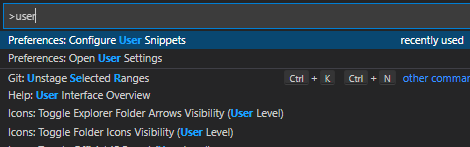
Tired of looking at a blank page when creating a new .vue file? VS Code snippets to the rescue!! Actually it supports more than us Vue. You can create snippets for any language but this article will focus on Vue (the template is for Vue 3 Composition API ). There is a bit of boiler plate when creating a Vue component and I didn't want to type it out each time. One solution is to use VS Code snippets. It has its own format but you wont have to worry about because there is a fantastic snippet generator by Pawel Grzybek  to generate it for us. Here is an example I created. Once you have your snippet you want to add it to VS Code.  On Windows, hit CTRL + ALT + P, then  Locate "Configure User Snippets".  Choose Vue.json Copy the snippet you generated between the { } curly brackets (see vue.json snippet below) Now you can  Create a new file with a .vue extension Type vue3-default and press tab 🄳 PRESTO!! You have boiler plate Now have a coffee with your saved time ...

Sāmoan language support for the Quasar framework

Exciting news for Sāmoan language app development!  And just in time to celebrate Sāmoa's 60 years of independence!! The Sāmoan language is now included as a language pack for the Quasar framework as of version 2.7.2 . It means dozens of Vue Components can now support Sāmoan. To switch it on, follow the instructions in the docs and use the "sm" code. This is a biggy for me as it's the only Sāmoan language pack I know of for any framework I've worked with. Much appreciation to the Quasar team for the quick turn around. Here is an example of using the close translation in your own components     {{ $q.lang.label.close }} And some examples of translated components in action: WYSIWYG Editor (hover over items to see translations) See the Pen Editor (WYSIWYG): Kitchen sink in Sāmoan - Quasar v2.7.3 by Ainsof So'o ( @ainsofs ) on CodePen . Date Picker (try clicking the month names) See the Pen QDate: Basic in Sāmoan - Quasar v2.7.3 by Ai...